Configuring Clover
You need to copy your kexts to Clover EFI folder and also edit the configuration file.
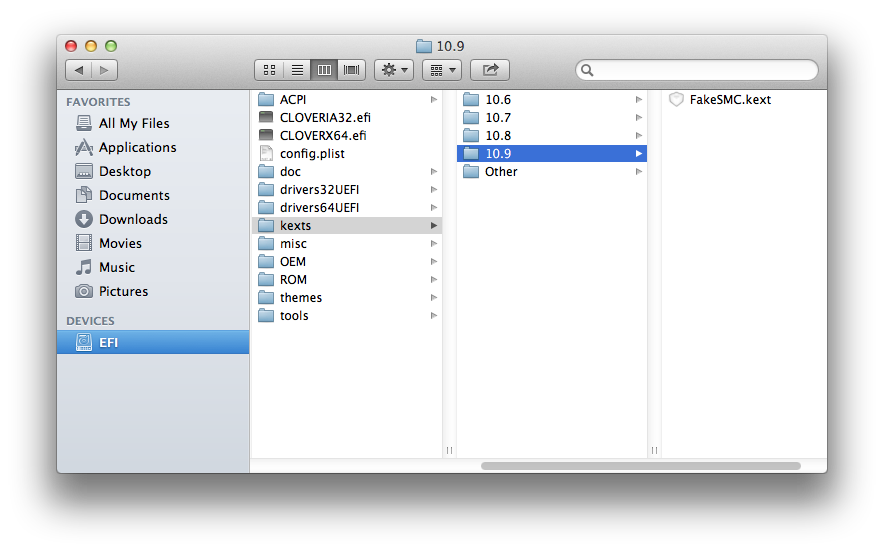
Open /Volumes/EFI or go to Computer and open the EFI partition from there.
Copy your kexts to /EFI/CLOVER/KEXTS/10.9
Copy your kexts to /EFI/CLOVER/KEXTS/10.9
You also need to replace VBoxHfs-64.efi in the drivers64UEFI folder with HFSPlus.efi
(Apple's HFS driver. Required to boot OSX when creating USB stick using this guide.)
(Apple's HFS driver. Required to boot OSX when creating USB stick using this guide.)
Edit config.plist
You can either use Clover Configurator, http://www.osx86.net/files/file/49-clover-configuratorconverter/
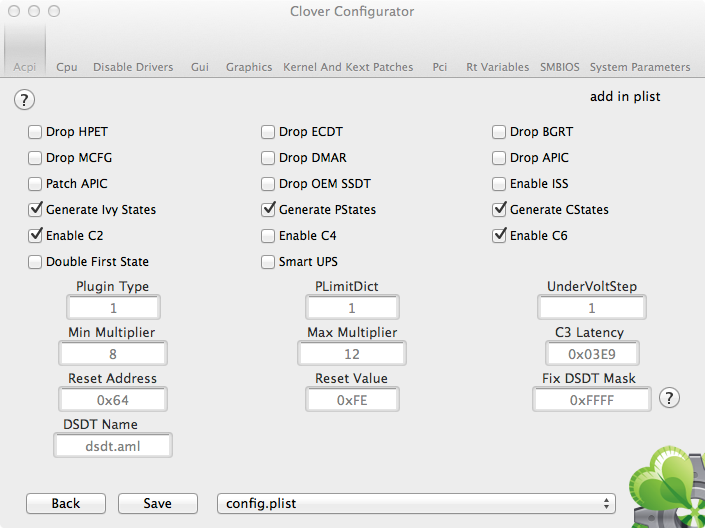
Or do it manually by editing the default config.plist file using a text editor or a plist editor like PlistEdit Pro or Xcode.
Make sure to read the wiki for explanation: http://clover-wiki.zetam.org/Configuration
WARNING: Using the wrong settings may cause damage to your hardware!
WARNING: Using the wrong settings may cause damage to your hardware!
